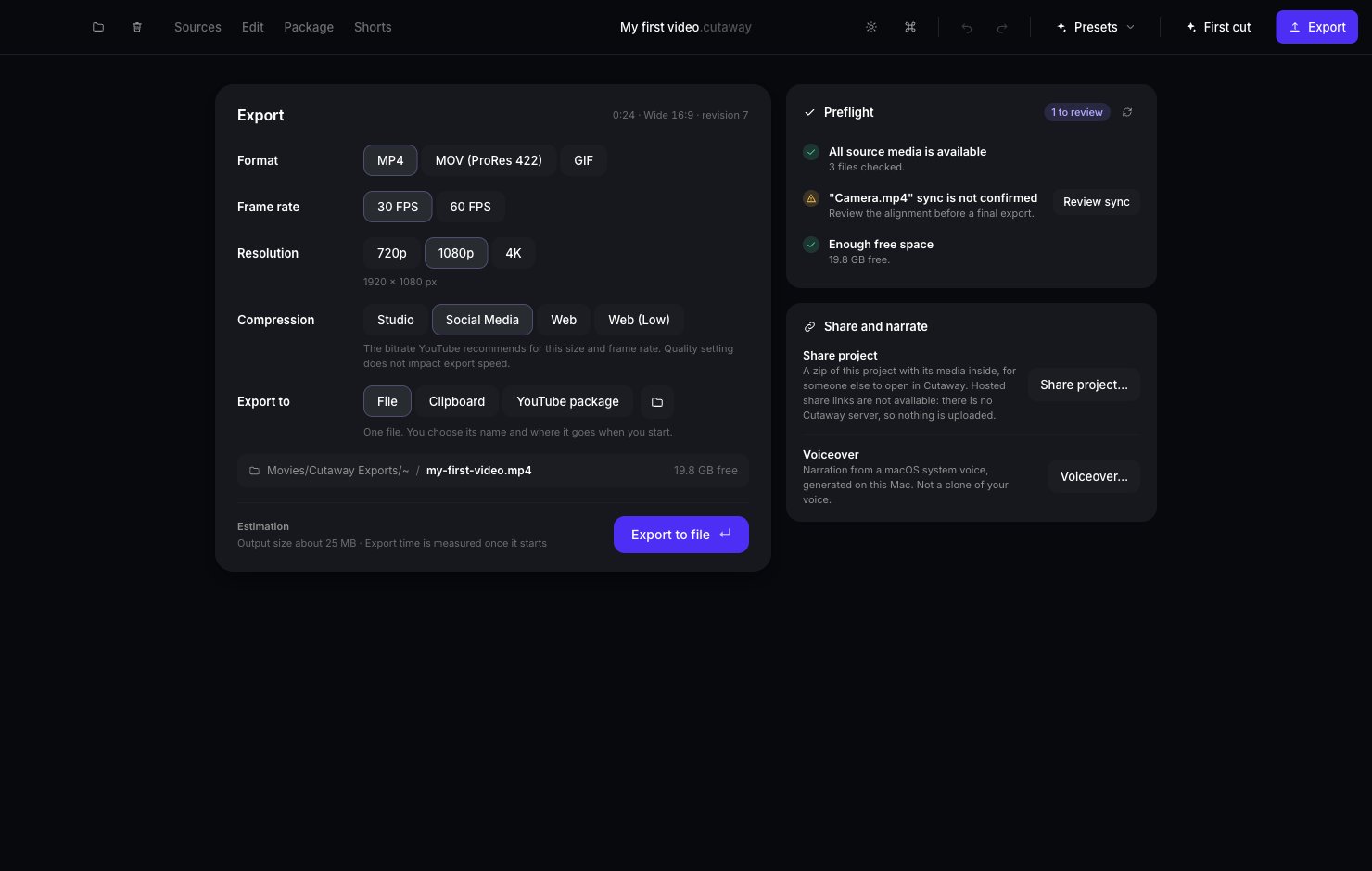
Exporting turns your project into a finished video file. You can then upload it to YouTube, send it to someone, or post it anywhere.
The Export page with Format, Frame rate, Resolution, Compression and Export to choices

Export in three clicks

1

Press Export

It’s the purple button in the top-right corner. (Shortcut: Shift + Command + E.)
2

Press Export to file

The choices already set are great for YouTube. You don’t need to change anything.
3

Choose where to save it

Pick a folder and press Save. Cutaway makes your video. Keep Cutaway open until it’s done.

What the choices mean

You can leave these as they are. If you’re curious: If you pick GIF, the choices change. Frame rate is 15 FPS, 20 FPS or 30 FPS, and Resolution is 480p, 720p or 1080p. GIFs have no sound and get big fast, so keep them short.

Where to send it

Under Export to:
  • File: one video file. The usual choice.
  • Clipboard: copy the video so you can paste it straight into a message or document.
  • YouTube package: a folder with everything for YouTube: the video, your thumbnail and title, the description, chapters and a captions file (captions.srt) timed to your final cut.
YouTube package only works with MP4 in the Wide 16:9 shape. If it’s greyed out, set Format to MP4, or change the shape under the preview in Edit.

Preflight check

On the right, Preflight checks for problems before you export, like a missing file or not enough space on your Mac. If something needs a look, it tells you what to do.

Share your project with someone

Share project… makes one file with your whole project inside. Someone else with Cutaway can open it and keep editing.

Add a voiceover

Voiceover… here makes quick narration with one of your Mac’s built-in voices. It’s free and nothing leaves your Mac. For a more natural voice, use AI voiceover… on the timeline instead: it can use ElevenLabs or fal.ai voices (with your own account) as well as your Mac’s voices. See Make a voiceover. To use your own voice, see Record a voiceover.

Uploading

Cutaway doesn’t upload anything for you. Once you’ve exported, go to YouTube (or anywhere else) and upload the file yourself.